GUIDE
Intercom Messenger customization, plan by plan
What each Intercom plan lets you change on the Messenger, from brand colours and the launcher to fonts and CSS, read on 26 November 2026.
Published
On Intercom’s Essential plan you can’t change the Messenger’s brand colours, its logo or the launcher icon. Intercom’s Messenger article says those “can only be customized on the Advanced or Expert plan”, and calls it “a plan restriction, not a permissions issue”. Intercom’s articles tie no plan to the welcome message, the spaces, a light, dark or system theme or a font, and no plan takes custom CSS. We read every Intercom figure and quote here on Intercom’s own help, changelog and pricing page on 26 November 2026.
Deacon is an AI customer support agent that answers your customers from your own docs. Its chat takes your own CSS, a ready-made look or a look your coding agent writes, on every plan, and the free plan needs no card.
What each Intercom plan lets you change on the Messenger
The Messenger’s look is set under Settings › Messenger › Widget › Appearance. This table puts each setting against the plan that unlocks it, from the Messenger article, the Messenger FAQs and the pricing page.
| What you want to change | Essential | Advanced | Expert |
|---|---|---|---|
| Brand colours, meaning the action colour and the Home screen’s background | No | Yes | Yes |
| The Messenger logo and the launcher icon | No | Yes | Yes |
| The Home header’s gradient, background image, fade and text colour | No | Yes | Yes |
| A separate Messenger style for each brand | No | No | Yes, as Multibrand Messenger |
| The “Powered by Fin” line at the foot of the Messenger | Stays on | Can be switched off | Can be switched off |
| Custom CSS | No | No | No |
Brand colours, meaning the action colour and the Home screen’s background
- Essential
- No
- Advanced
- Yes
- Expert
- Yes
The Messenger logo and the launcher icon
- Essential
- No
- Advanced
- Yes
- Expert
- Yes
The Home header’s gradient, background image, fade and text colour
- Essential
- No
- Advanced
- Yes
- Expert
- Yes
A separate Messenger style for each brand
- Essential
- No
- Advanced
- No
- Expert
- Yes, as Multibrand Messenger
The “Powered by Fin” line at the foot of the Messenger
- Essential
- Stays on
- Advanced
- Can be switched off
- Expert
- Can be switched off
Custom CSS
- Essential
- No
- Advanced
- No
- Expert
- No
Intercom sells Essential for “individuals, startups, and small businesses”, so it’s where many founders meet the locked fields. The FAQs say the style dropdown and branding controls “can appear locked or unclickable” on Essential “no matter what role or permissions you have”. Advanced, the cheapest plan that unlocks them, was $85 a seat a month billed yearly when we read the pricing page, and Intercom pricing has every plan’s seat price.
What the articles don’t tie to a plan
These settings sit beside the locked ones, and neither article says a plan is needed for them.
- A theme. Light, Dark or Match System, added on 28 October 2025. The colours and the logo are set separately for each theme.
- A font. Inter, Poppins, Montserrat, Roboto, Open Sans, Lato or Noto Sans, added on 27 October 2026. The changelog says it’s for “the web Messenger on your default brand” and falls back to the system font if it can’t load. The Messenger article adds a custom font you upload for each brand.
- The welcome message, spaces and Home apps. Which spaces show (Home, Messages, Tickets, Help, News and Tasks), their order, and whether the Messenger opens straight into a conversation.
The launcher’s position is the one setting the article hedges on. It says to “Check our plans and pricing if this feature is included on your subscription”, without naming a plan.
Import your style
Accounts that joined since December 2023 can type a domain and click Import, and Intercom fills in the logo and colours it finds there. It fills the same logo and colour fields that Essential locks.
Moving, hiding and replacing the Intercom launcher
The launcher has settings of its own, and Intercom’s docs set these limits on them.
- Left or right, with spacing. Set it in Appearance › Launcher Position, or with
alignment,horizontal_paddingandvertical_paddinginwindow.intercomSettings. The developer docs set a minimum of 20 pixels for each padding and say it “Does not work on mobile”. The FAQs add that on mobile web the launcher stays at the bottom right. - Not bigger. The Messenger article says “it’s currently not possible to enlarge the launcher symbol”, and the FAQs say the window’s size can’t be changed either, and the Messenger can’t go full screen.
- The red badge. Its colour “is fixed and cannot be changed through Messenger settings or installation code”.
- A label.
launcher_textputs a short label beside the icon, such as “Need help?”. - Your own button.
hide_default_launcherhides Intercom’s, andcustom_launcher_selectoropens the Messenger from any element you name.
People do move the launcher with CSS on their own page, but it doesn’t hold. On a community thread on 8 January 2026, one user wrote that after an !important override, “when I open the chat and then close, the launcher goes back to its old position”.
Why you can’t style the Intercom Messenger with CSS
The Messenger loads in iframes, so your site’s CSS can’t reach what’s inside them. Intercom’s help for its Fin Messenger says “Custom CSS is not supported for the Messenger, popups, carousels, or any other in-app messaging type.” A request on Intercom’s community, posted on 24 September 2024, says the elements “render within and iframe element and thus cannot be targeted directly by application styles”, so “a dark-themed website cannot adjust the Intercom elements”. It had 8 votes and its status read Submitted when we looked.
From code you can set a handful of colours, in window.intercomSettings or with Intercom('update', …).
window.intercomSettings = {
  app_id: 'your_app_id',
  action_color: '#2f6b4f',
  background_color: '#f7f8f5',
  link_color: '#2f6b4f',
  theme_mode: 'system',
};
The developer docs don’t say whether the colour keys get past Essential’s lock.
What Deacon lets you change, on every plan
No Deacon plan locks the look. The free plan styles the chat as fully as the paid ones, in Appearance, in any of three ways.
- A ready-made look. Choose from 27, from Console, set like a terminal, to Journal, set in a serif. Four are dark, and four carry your logo, your name and a short line of your own in a header.
- Your own CSS. Each part of the chat has a class, such as
.header,.starter-question,.ask-boxand.send, 66 parts in all, with 2 states and 38 variables. The styling guide lists every one, and Deacon keeps those names as the widget changes. - Your coding agent. Paste one line into Claude Code, Cursor or Codex, and it writes a look from the colours, fonts and corners in your site’s code. The look waits in Appearance until you publish it.
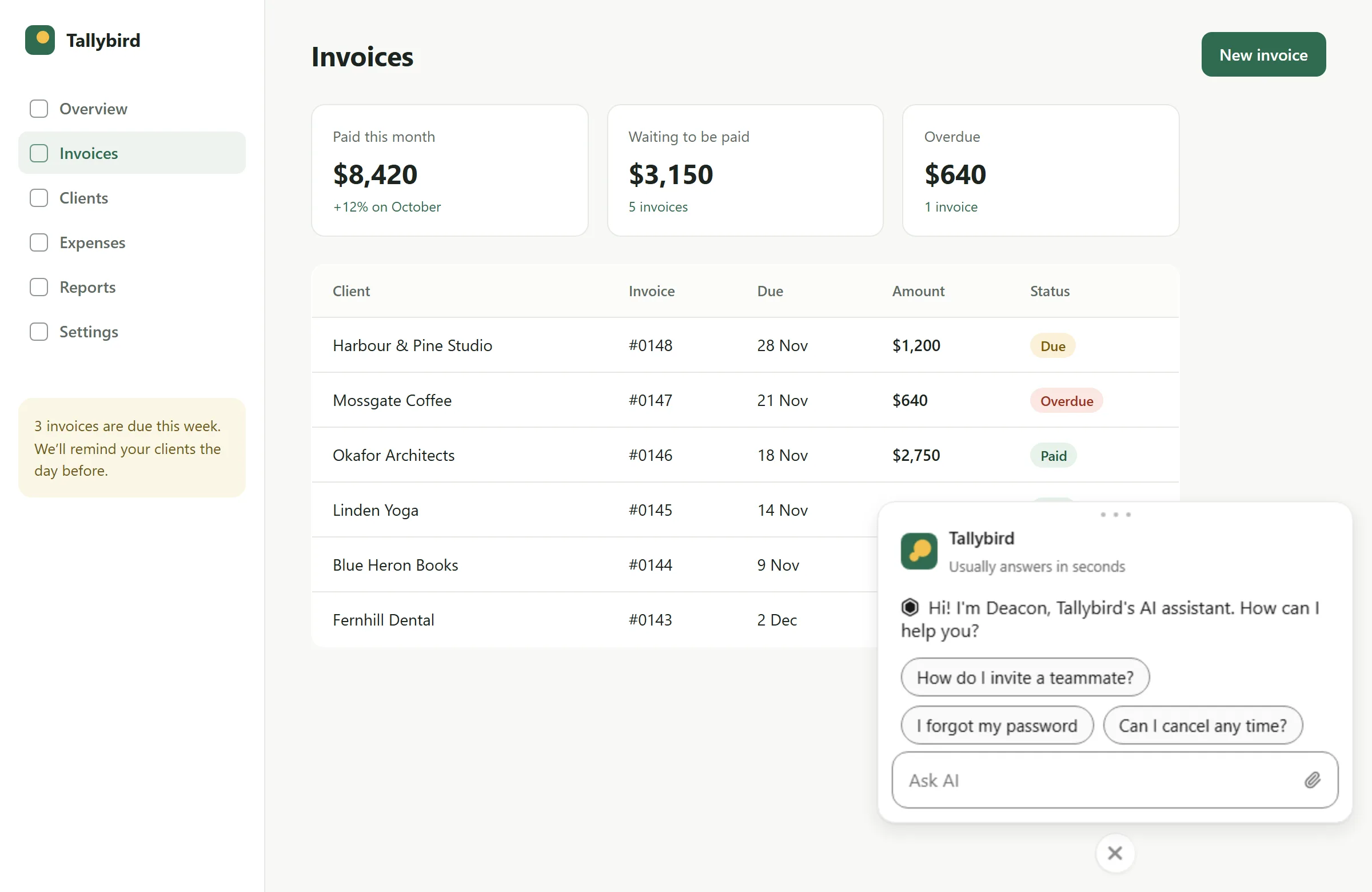
Like the Messenger, Deacon’s chat keeps your page’s CSS out, and Appearance carries your own CSS into it. Every change shows first on a preview of your own site, on a computer or a phone, and goes live only when you press Publish. If a look would hide anything, such as the line saying the chat is an AI, Publish tells you first. The colours, the corner radius, the button’s place at the bottom left, centre or right, your logo, the greeting and the starter questions are in Appearance too.
Deacon also does the job the Messenger is there for. It answers your customers in seconds from your docs, says when it doesn’t know and brings you the questions that need a person, and shows you which topics people ask about most.
Which one fits
If your team already works in Intercom’s inbox and the plan you’re on unlocks the branding you need, Intercom’s Appearance settings cover a logo, brand colours, a theme and a font. If you’re on Essential and want the chat to match your site, Advanced is the step up. If you want to style every part of the chat yourself, or have your coding agent do it, without a plan upgrade, Deacon does that on its free plan. Intercom alternatives for startups compares more tools.
Questions about Intercom Messenger customization
Can I change the Intercom Messenger’s colour on Essential?
No. Intercom’s help says the Messenger logo, launcher icon and brand colours can only be changed on the Advanced or Expert plan, whatever your role. Its help names no plan for the light, dark or system theme or the font.
Can I add custom CSS to the Intercom Messenger?
No. Intercom’s help says custom CSS isn’t supported for the Messenger, and the Messenger loads in iframes, which your page’s CSS can’t reach. You can move the launcher with CSS on your own page, though users report it springs back after the chat opens.
How do I move the Intercom launcher?
In Settings › Messenger › Widget › Appearance › Launcher Position, choose left or right and set the spacing, or set alignment, horizontal_padding and vertical_padding in your install code. Padding under 20 pixels is ignored, and on mobile the launcher stays at the bottom right.
Does the Intercom Messenger have dark mode?
Yes, since 28 October 2025. You can choose Light, Dark or Match System, set colours and a logo for each on Advanced or Expert, and switch it from code with theme_mode.
Can Deacon’s chat use my site’s font?
It can use any font the visitor’s device already has, such as the system font or Georgia, but not a web font your site loads. A look loads no files from anywhere, so name your font with fallbacks, and the chat uses the first one the device has.
Does my coding agent publish the look it writes?
No. It leaves the look waiting in Appearance, named after the key it used, and it goes live only when someone on your team presses Publish there.
Try it on your own documentation
Add your help pages, ask it the question you know your docs cannot answer, and watch it say so.
The free plan covers 50 answers a month on one seat, and the paid plans are on the pricing page.
Free plan, no card.
READ NEXT
Intercom pricing plans, seats and the Fin bill
Intercom pricing line by line for a team of one to three, from the $19 or $29 seat to Fin, Copilot and Early Stage, and how Intercom and Fin are sold now.
Intercom alternatives and what each costs a startup
What Intercom’s seats, Fin and Early Stage add up to for a startup, and nine alternatives with their startup offers, read on 24 November 2026.
How to customize the Zendesk Web Widget
How the Zendesk messaging Web Widget’s look is set, read on 26 November 2026, from Admin Center’s Style settings to the colour API, stylingPreset and CSS.