DEACON

AI customer support and user insights, live in minutes

Support your users as though you were in the room. Deacon answers their questions, guides them through your product, and tells you what they want to achieve. Activation improves and you have a roadmap to grow your business.

Install for free

An expert beside your customers, at any hour

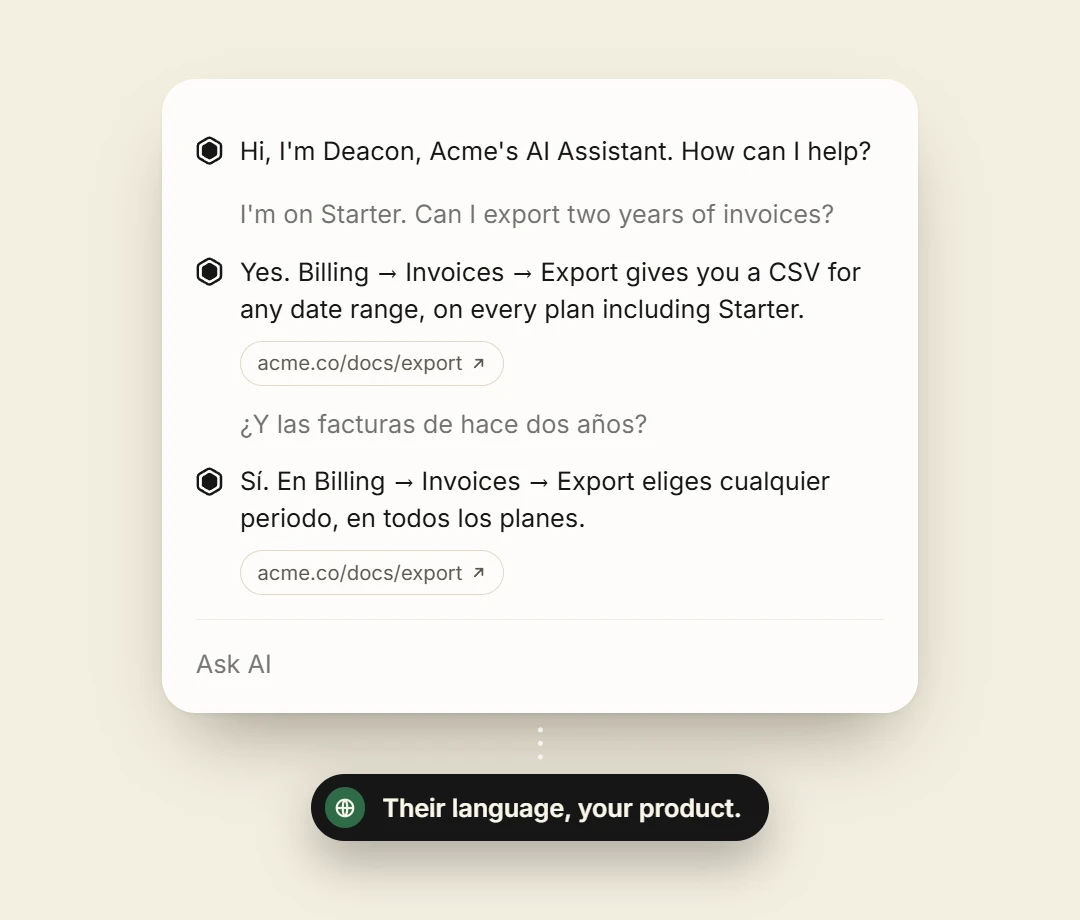
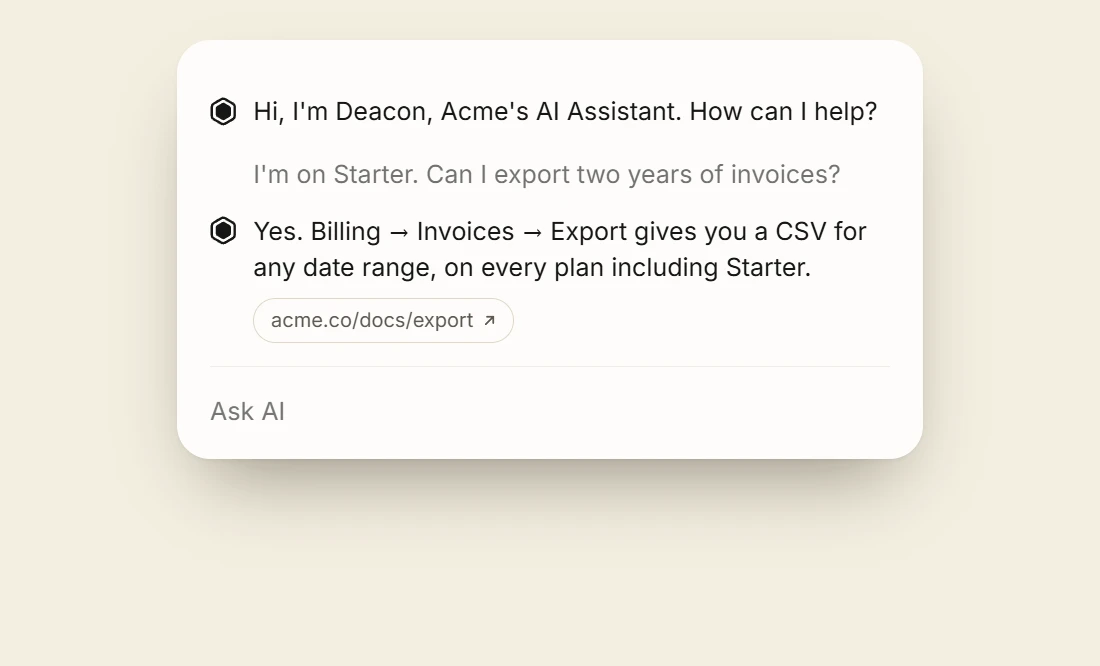
Until now, a customer who got stuck sat through a tutorial video or searched help pages written a year ago. Deacon answers them directly, at any hour, in whichever language they write in. It can act on their behalf, suggest a better approach, and point out options they did not know were there.

Hear from every customer, not the vocal few

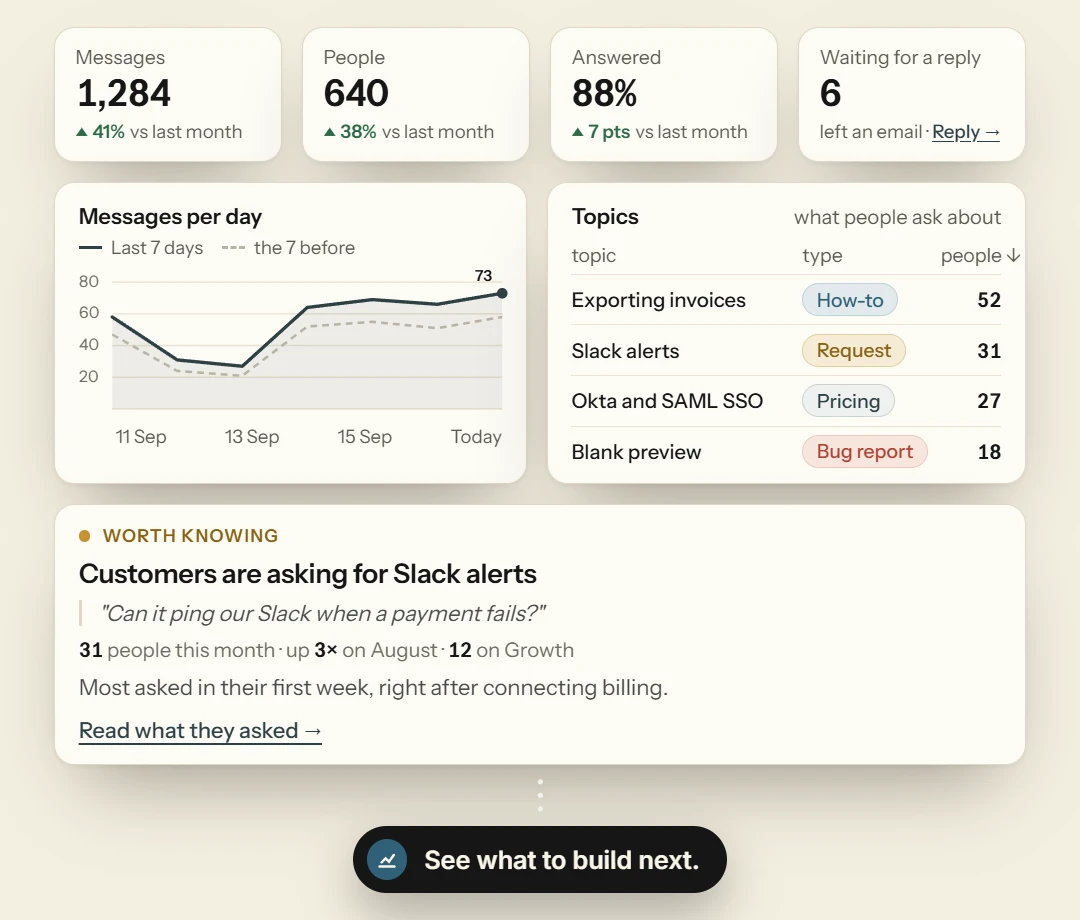
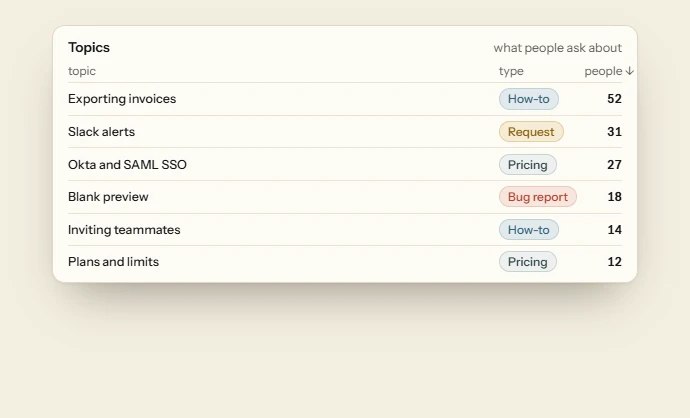
Deacon is in conversation with everyone who uses your product, so what reaches you is the whole picture and not an anecdote. You see the reasoning behind each request, the questions your documentation fails to answer, and the themes worth acting on.

What people say

Rated 5 out of 5

Deacon is the future of customer support

It installed quickly, and our users now get support of a quality we could not have provided ourselves. Thank you to the Deacon team.

Rated 5 out of 5

Makes training and onboarding our users so much easier

Ours is a complex product, and we used to send people to a knowledge center. Nobody wants to read lengthy documentation. Having Deacon answer the question at the moment it comes up has made the difference.

Rated 5 out of 5

We have seen NPS and revenue move since adding Deacon

Bounce rate dropped and conversions rose after we added it. For a company our size, it paid for itself inside the first month.

Rated 5 out of 5

The most complete of the modern support agents

We moved across from Intercom and Fin because Deacon does more. It helps our customers, and it tells us what they need, at a lower cost.

KEY FEATURES

AI customer support

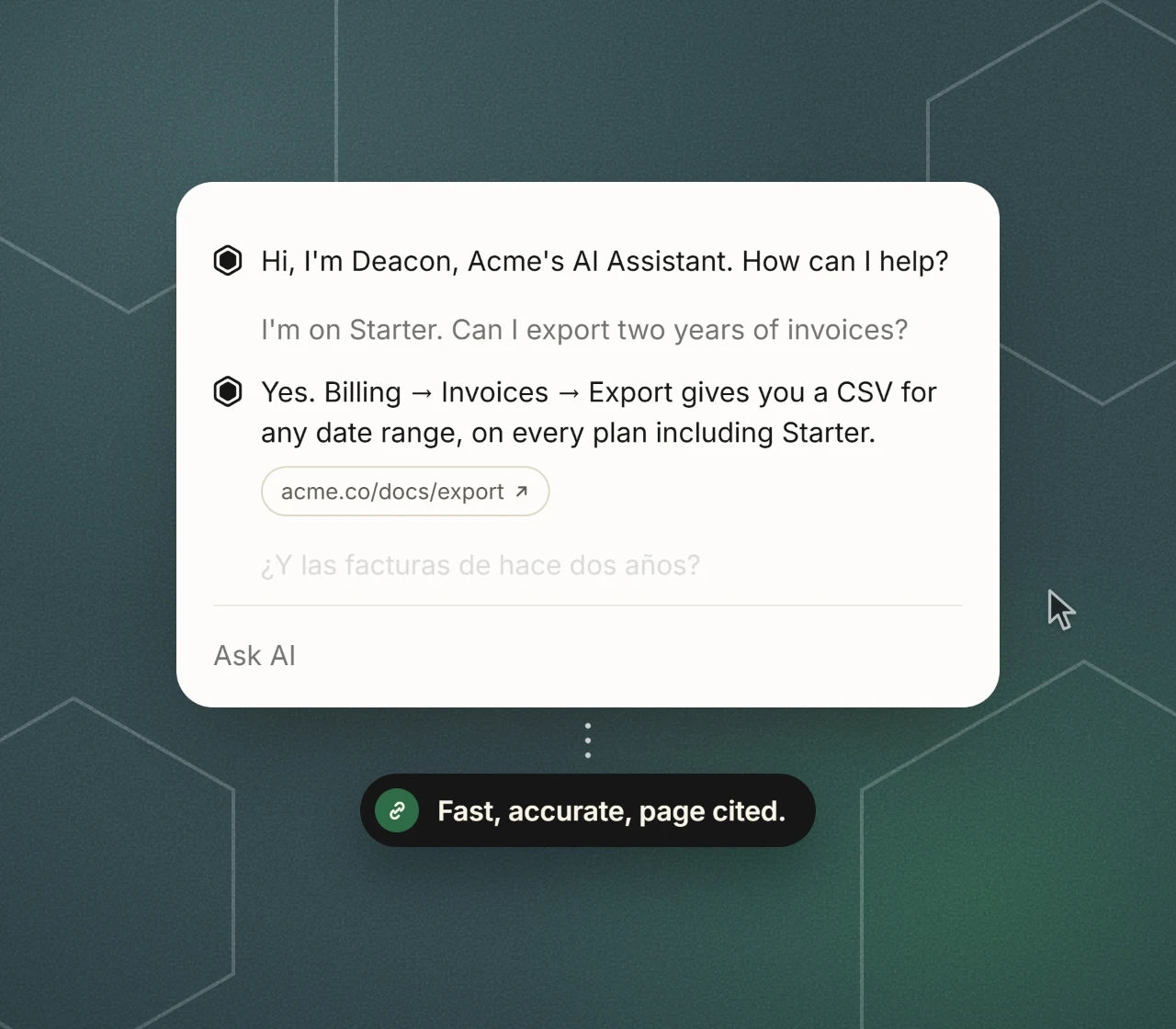
The foundation of everything else Deacon does. Your customers ask in plain language and get a considered answer in seconds, drawn from your own material, without waiting in a queue.

User onboarding

Deacon works proactively as well as on request, introducing the features a customer has not found yet and showing them how to use them.

Give it the onboarding material you already have and it will walk each customer through it at their own pace.

User feedback

What your customers are trying to achieve, and where they lose their footing, is the most useful material you have for improving the product.

Deacon speaks to all of them, records the reasoning behind each request, and returns summaries and priorities you can act on.

Knowledge gap analysis

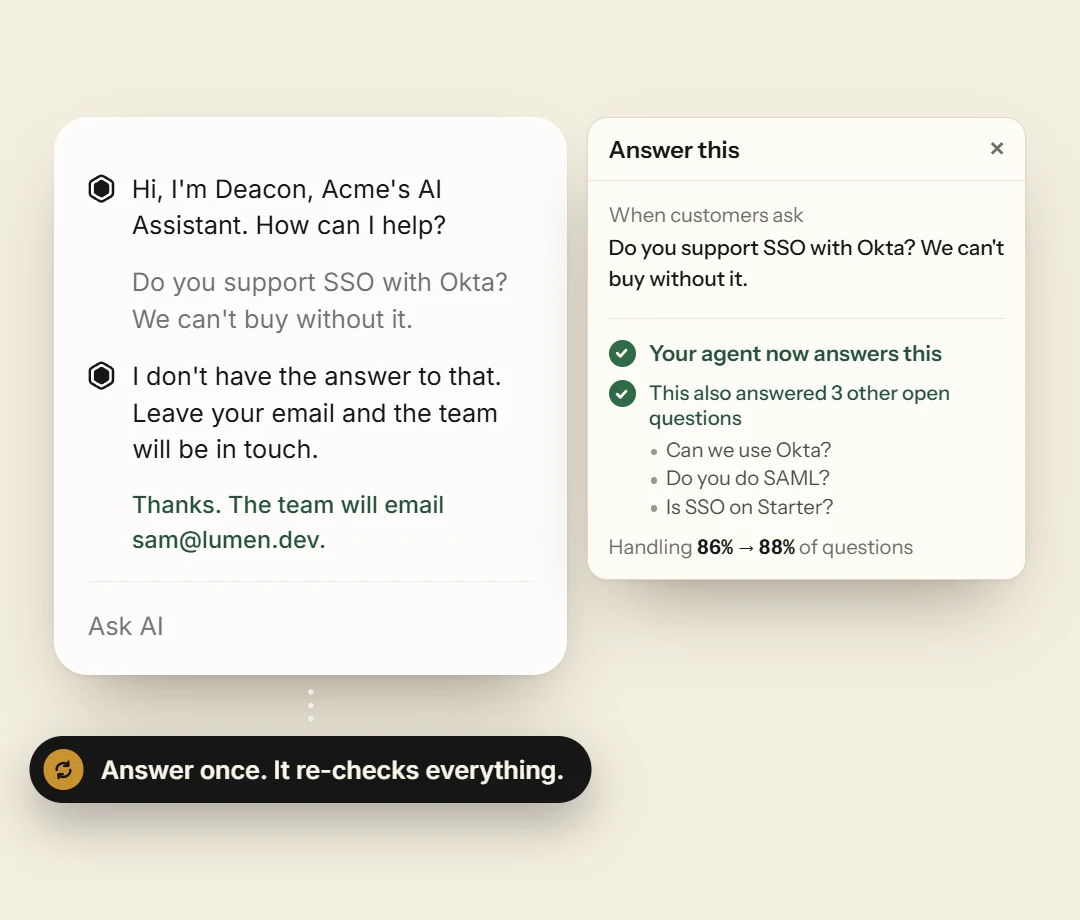
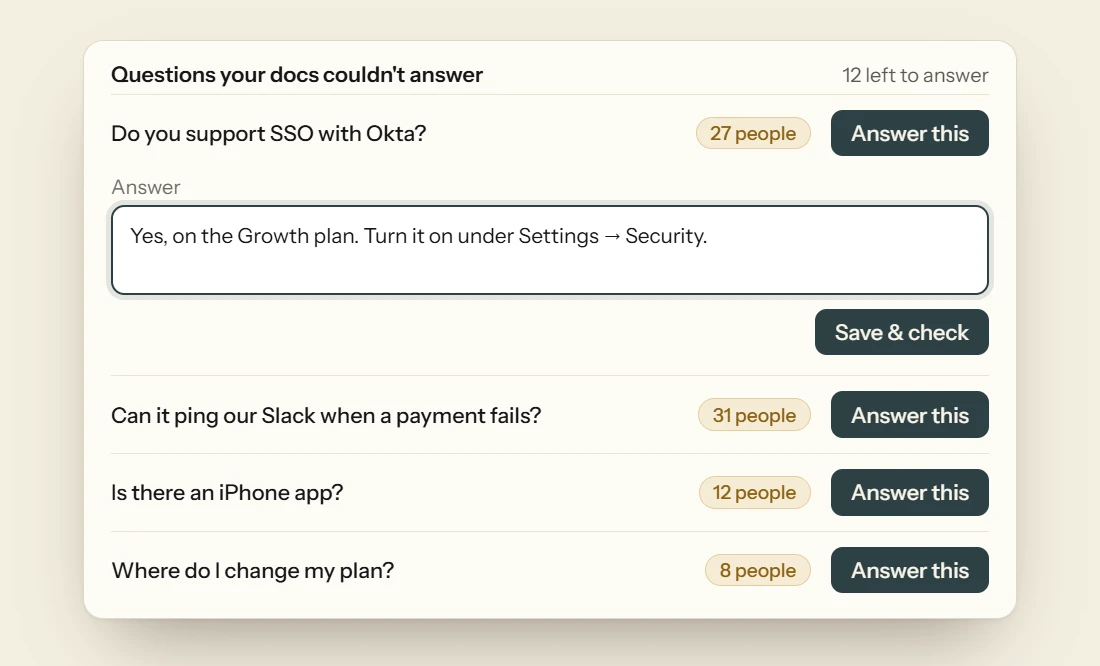
Deacon reads every question against the material you have given it and notices where the two do not meet.

Each gap is raised for your team to close, so the knowledge base improves with every conversation.

Fact-checked answers and validity scoring

Every answer is reviewed and scored against your own knowledge base before it reaches a customer. Where your material does not support a reply, Deacon says so rather than guessing.

Conversation logs and transparency

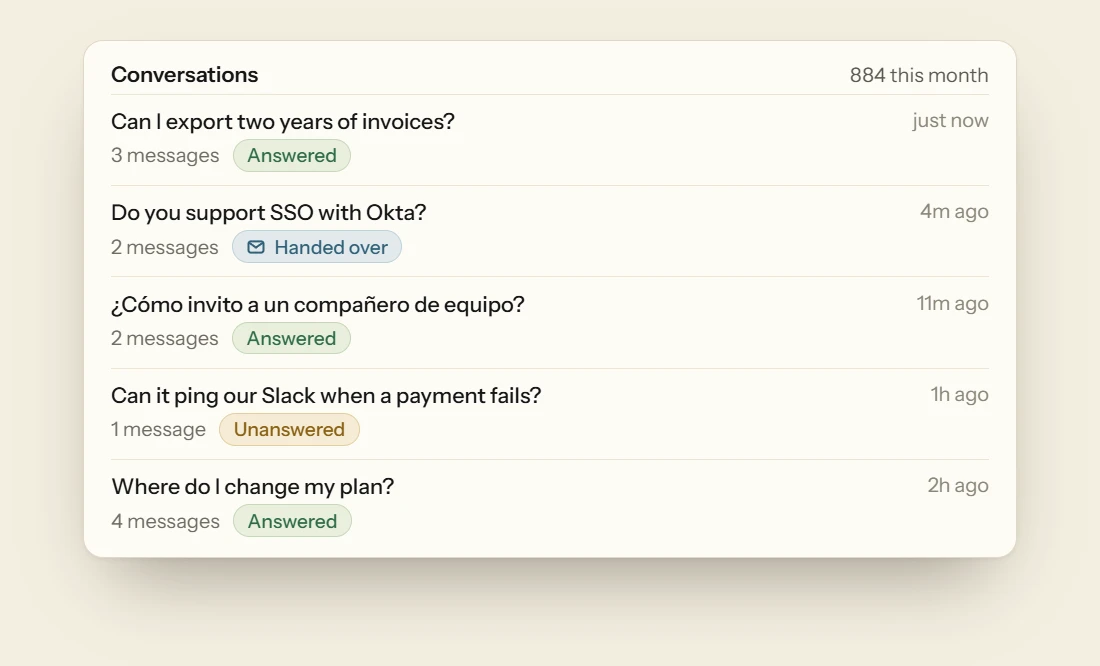
Every conversation is recorded in full, so you can read exactly what was said on your behalf whenever you need to. Nothing happens out of view.

Knowledge ingestion in minutes

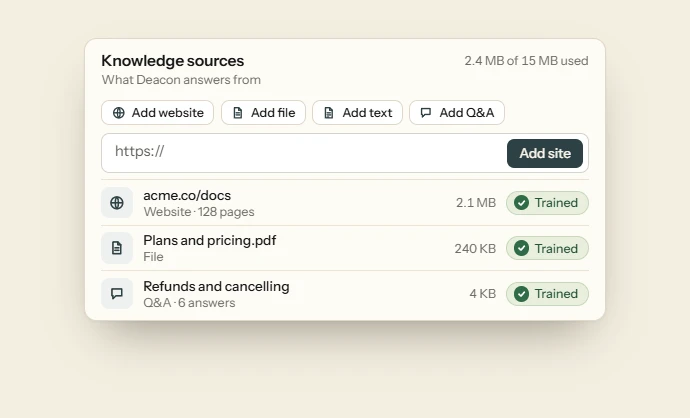
Deacon learns from your documentation, website URLs, and how-to videos. Add a source in the dashboard and its knowledge base updates, and refresh any source the moment your product moves on.

Managed without a developer

A developer is needed once, for the install. After that, curating content, updating knowledge, and reviewing conversations sit comfortably with anyone on your team.

Five minute installation

One line of script in your application, then a handful of URLs and help documents in the dashboard. Deacon is answering the same afternoon.

5 minute install

  1. Sign up

    Create your account and name your workspace.

  2. Add your content

    Paste the URLs of your docs and help pages. Deacon reads them in minutes.

  3. Go live

    Copy your one-line snippet and paste it before </body>.

    <script src="https://heydeacon.com/widget/v1/loader.js" data-key="dk_live_····" defer></script>

Get started for free

Create an account, add your documentation, and see what your customers have been trying to ask.

Questions, answered

Deacon is an AI customer support agent that lives inside your product. It handles onboarding, answers help requests, and gathers the research and analytics that used to need a separate exercise. Because it speaks to every customer directly, questions are answered in seconds, and you are left with a clear view of the reasoning behind them. Activation, engagement, and conversion all benefit.

Both. Your customers write in plain language and get an accurate answer, with no menus and no scripted decision trees. Deacon also acts as well as answers: it walks people through onboarding a step at a time, surfaces the right feature or document at the right moment, and captures the feedback and analytics that explain why the question was asked.

A chatbot follows scripted decision trees and keyword rules. It can only handle the paths someone built in advance, and it reaches for “let me connect you to a human” as soon as a question leaves the script. Deacon reads questions in plain language, reasons over your own material to answer them, holds a genuine conversation, and takes action inside it by guiding onboarding, surfacing the right resource, and recording what it learns. A chatbot answers from a script. An agent understands, and acts.

Yes. Stock and custom integrations can be added to your Deacon agent. Write to us at hello@heydeacon.com.

Deacon’s clients are modern software companies and the people running them. They want customer support answered properly, of course, but they also want onboarding that feels as though someone is sitting beside the customer, feedback and market research collected as a matter of course, and qualitative insight alongside the usual dashboards. Traditional customer support vendors concentrate on answering help questions, and most assume you already run a helpdesk. Deacon does not. It runs quietly in the background, so a single founder, developer, or manager can set it up and leave it to work without first standing up a support team.

About five minutes. Add our snippet to your application, point Deacon at a few URLs or help documents, and it is live. There is no integration project.

There is a free plan with no card and no time limit, and paid plans that follow the number of answers you need. Current figures, and what each plan includes, are on the pricing page.

You train it on your own material: documentation, website URLs, and how-to videos. Add a source in the dashboard and Deacon updates its knowledge base, and you can refresh any source as your product changes.

Deacon speaks your customers’ language, literally. It reads and replies fluently in dozens of the world’s major languages, including Spanish, French, German, Portuguese, Italian, Dutch, Japanese, Korean, and Chinese. It detects whichever language someone writes in and answers in kind, with nothing to configure per language.

No. Most alternatives assume you already run one: a support team, and the software behind it. Deacon does not. It runs quietly in the background, so a single founder, developer, or manager can set it up and let it handle support without standing up a support function first.

Only for the install itself. After that, curating content, updating knowledge, and reviewing conversations are all handled from the dashboard by anyone on your team.

Yes. Every conversation is recorded in full, so you can read exactly what was said on your behalf and review any interaction whenever you need to.

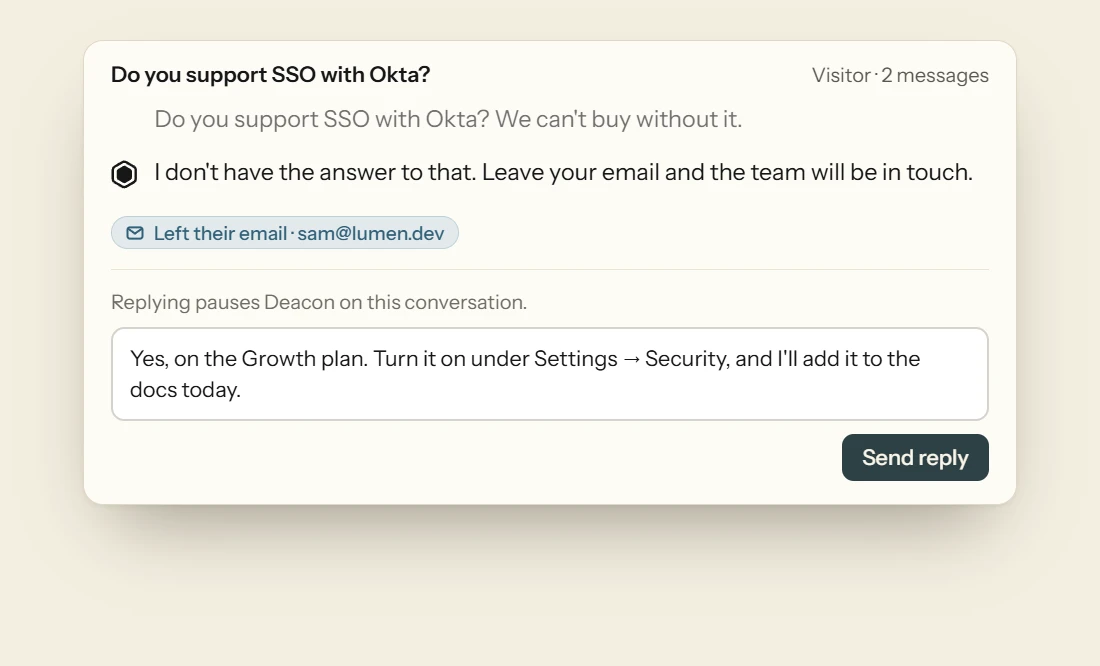
The conversation is flagged as unanswered in your dashboard and your team is notified. Someone can reply to the customer directly and add the missing material to the knowledge base, so the same question is answered automatically next time.

Grounding. Rather than answering from a model’s general training, Deacon retrieves the passages most relevant to each question from the knowledge base you have given it and confines its answer to that material. Where it finds nothing to support an answer, it says so and flags the conversation instead of guessing. And because every answer is tied to the source documentation, it can point to where the answer came from, so both your customers and your team can check it.